riffle.js
riffle.js is a browser book viewer for page bitmaps and PDFs. It renders a two-page spread with animated page turns, paper lighting, and optional show-through translucency.
Riffle is DOM-native and framework-agnostic: a viewer is a DOM element with a small set of methods. There is no controller object and no mounting step — you create an element, append it, and call methods on it. Nothing assumes React, Vue, Angular, or any framework.
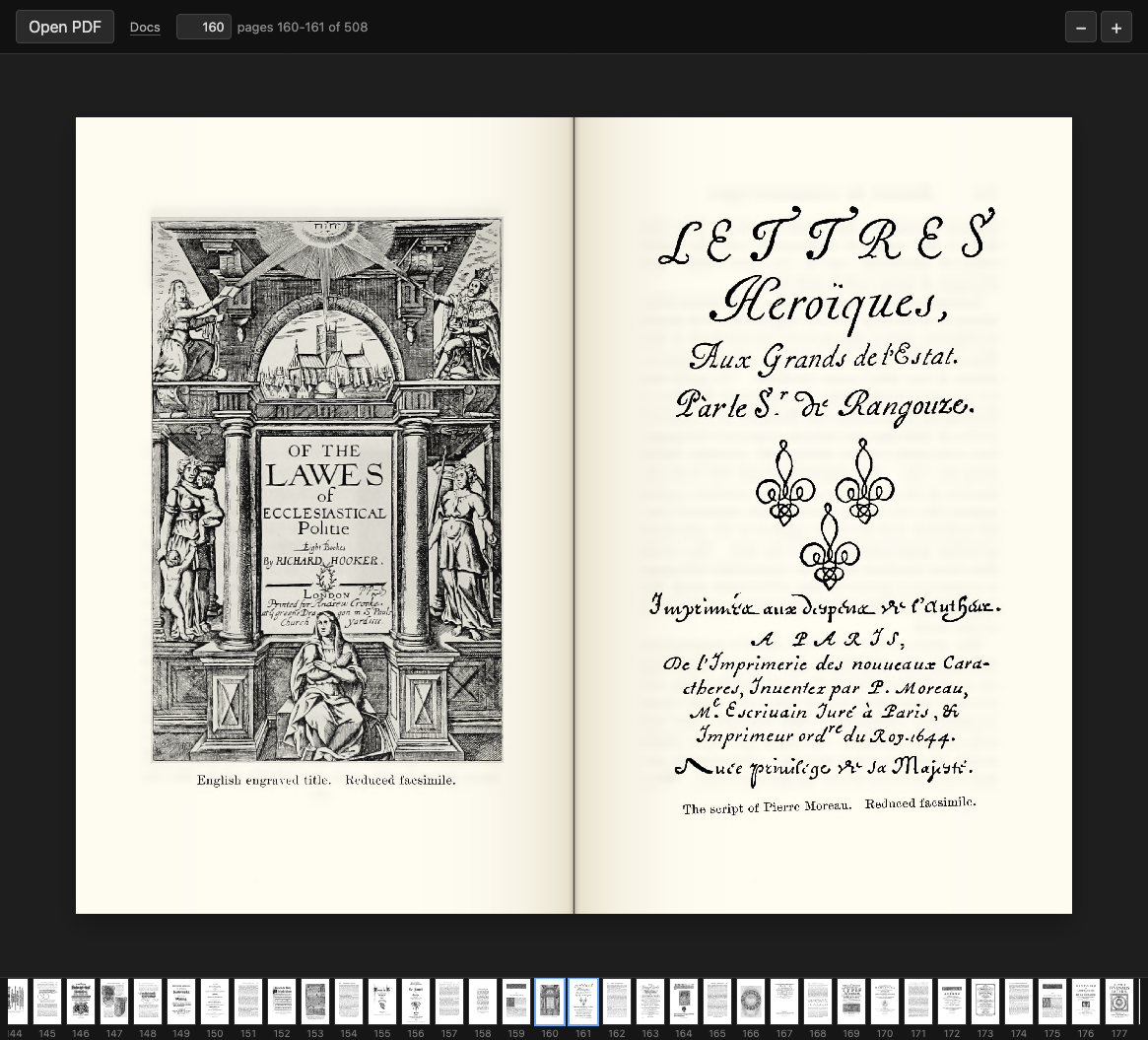
A screenshot of the demo — view its source.
On touchscreens, swipe left or right in the standalone demo to turn spreads. Pinch on the book (or use the zoom buttons) to enlarge it, then drag to pan. The toolbar stays the same size. Swipe outward from a horizontal edge to turn a spread, or tap Fit to restore the full spread. Focus hides the controls; Exit focus or Escape brings them back. Thumbnails opens the thumbnail strip, including keyboard-accessible page shortcuts. The Paper settings popover adjusts paper tone and show-through without moving the reader. Open a PDF or images with Open file, or drag files onto the page.
Run the demo gesture and zoom regression checks with node --test demo/*.test.js.
The programming model
import { createViewer } from "riffle";

const viewer = createViewer(); // returns a <canvas> element
container.append(viewer);      // append it like any other node
await viewer.openPdf(file);    // call methods directly on it
- Create a viewer with
createViewer(). - Append it wherever you want it in the DOM.
- Call methods on it (
openPdf,navigateBy,on, …).
Riffle never wraps your layout or injects styling — you decide where the viewer lives, how it sizes, and how it scrolls.
Quick start
A minimal, paste-and-run HTML file with a viewer and a thumbnail strip that loads a PDF or a set of images and turns pages with the arrow keys:
<!DOCTYPE html>
<html lang="en">
  <head>
    <meta charset="utf-8" />
    <meta name="viewport" content="width=device-width, initial-scale=1" />
    <style>
      /* The viewer sizes itself to its scrollable container. */
      #viewport {
        width: 800px;
        height: 600px;
        overflow: auto;
      }
      /* Style the page strip through its stable class. */
      .riffle-page-strip {
        display: flex;
        gap: 4px;
        overflow-x: auto;
      }
    </style>
  </head>
  <body>
    <input id="pdf" type="file" accept="application/pdf" />
    <input id="images" type="file" accept="image/*" multiple />
    <div id="viewport"></div>
    <div id="strip"></div>

    <script type="module">
      import { createViewer, createPageStrip } from "https://cdn.jsdelivr.net/gh/RvanB/riffle.js@0.4.1/dist/riffle.min.js";

      const viewer = createViewer();
      document.getElementById("viewport").append(viewer);
      document.getElementById("strip").append(createPageStrip(viewer));

      // Load a PDF…
      document.getElementById("pdf").addEventListener("change", (e) => {
        viewer.openPdf(e.target.files[0]);
      });
      // …or a set of images, one page each.
      document.getElementById("images").addEventListener("change", (e) => {
        viewer.openImages(e.target.files);
      });

      // Turn pages with the arrow keys.
      addEventListener("keydown", (e) => {
        if (e.key === "ArrowRight") viewer.navigateBy(+1);
        if (e.key === "ArrowLeft") viewer.navigateBy(-1);
      });
    </script>
  </body>
</html>
Guides
Task-first walkthroughs live in the docs:
- Getting started — the programming model and your first viewer.
- Load a PDF — from a file, a URL, or bytes.
- Display images — one page per image with
openImages. - Navigate pages — turn pages and track position.
- Add a thumbnail strip —
createPageStripand styling. - Control zoom — zoom methods and wheel/trackpad zoom.
- Listen for events —
on/off, event names, and payloads. - Select & OCR text — selectable PDF text and attaching hOCR.
Public API
The public API is intentionally small:
createViewer(options)— create a viewer element.createPageStrip(viewer)— create a thumbnail strip bound to a viewer.- The viewer element's methods (
openPdf,openImages,navigateBy,goToPage,adjustZoom,setZoom,resetZoom,on,off, …).
For hosts that keep their own page model rather than handing Riffle a file and letting it drive:
PageSource/ImagePageSource/PdfPageSource— describe a page set.PageStrip— the thumbnail strip as a configurable class, for whencreatePageStripis too opinionated (your own selection, click handling or thumbnail sources).PdfDocument— open a PDF and rasterise its pages without Riffle owning them, so you don't ship a second PDF engine.
Everything documented in the guides & API reference
is stable. Undocumented properties, internal modules under src/, and the DOM
structure Riffle generates inside its elements may change between releases —
please don't rely on them.